


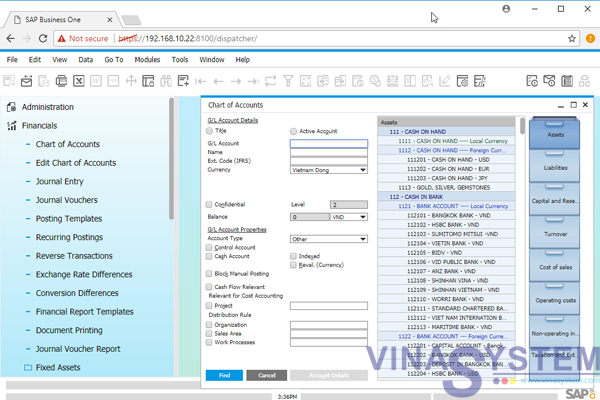
SAP Business One 9.x browser access
In December 2015, SAP released SAP Business One 9.2, which allows SAP Business One users to access the system through a Web browser. Users no longer need to use the Remote Desktop feature to connect to the system when they are not in their office. This feature reduces the cost of ownership for the SAP Business One system.
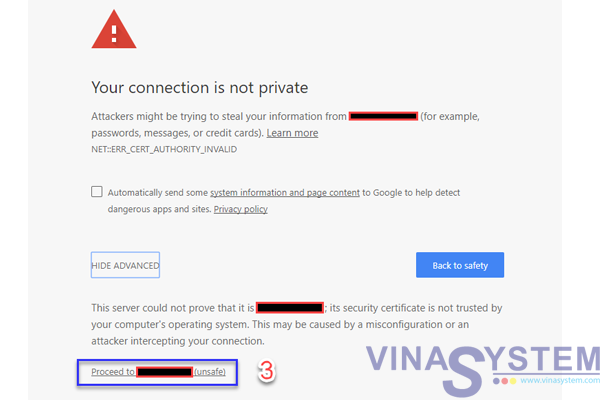
If you get an error message "Your connection is not private" click Advanced
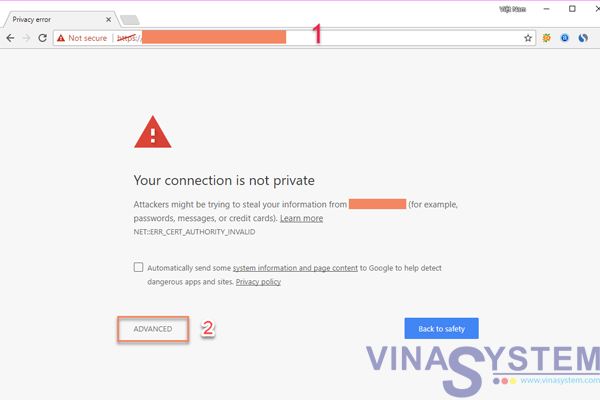
Picture 1
The window shows some alerts, you click Proceed to ... (unsafe)
Picture 2
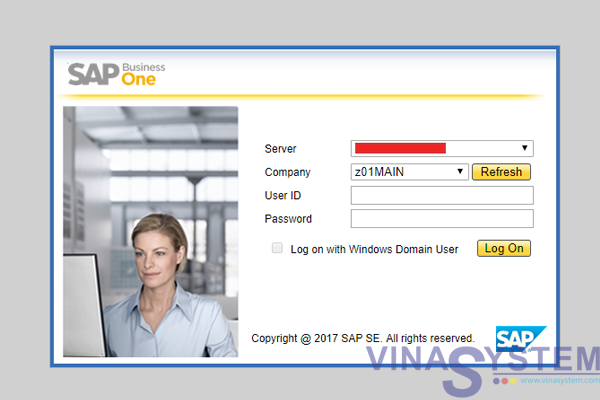
Fill User ID and Password for connect system, If you do not have User ID and Password, you can register for SAP Business One Trial from Vina System (Limited number of trial accounts per company. Trial requirements SAP Business One needs to be approved).
Picture 3
Many people are getting "Your connection is not private" message into their google chrome browser. This is not any serious error message and it will solve with few simple steps.
If you are getting the SSL error Net::ERR_CERT_DATE_INVALID or Your Connection is Not Private in Google chrome browser, it means your Internet connection or your computer is preventing Chrome from loading the page securely and privately.
See More: