




SAP Business One - User Guide for Bill of Materials
Document of SAP Business One - Production Module
Reference document:
- Production Concept in SAP Business One | Production Concept Overview
- Production Resource in SAP Business One | Production Resource Overview
- Bill of Materials in SAP Business One | Bill of Materials Overview
- Production Process in SAP Business One | Production Process Overview
1/ Create BOM
At Main Menu Screen, user click Main Menu -> Production -> Bill of Materials
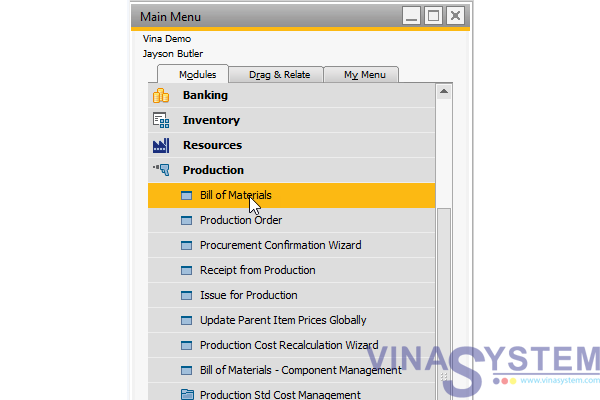
Pic 1
At Bill of Materials screen, choose Product No. and click Tab, screen List of Items will show, We will select the finished product tracking code, Example choose Item No. P0001, Item Description: Product 1
(This is Item for Product)
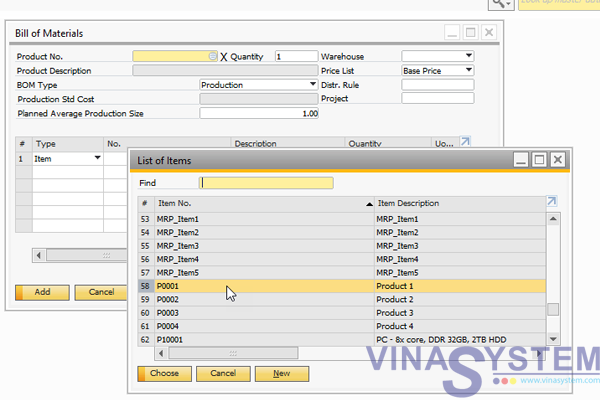
Pic 2
Choose Item from List of Items
(This is Item for Materials)
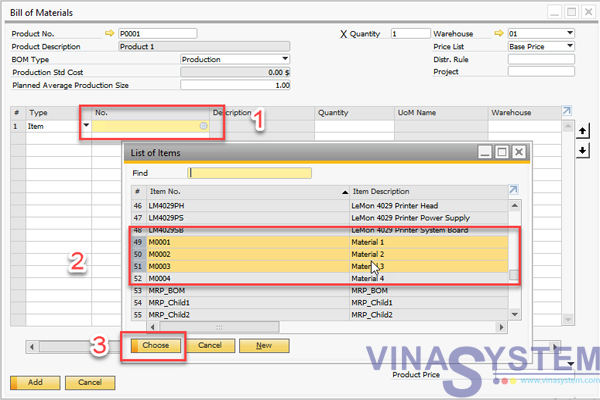
Pic 3
Continue, We will choose:
1- Product Warehouse
2- Quantity. Example: (Production 1) = 2x(Material 1) + 3x(Material 2) + 0,5x(Material 3)
3- Material Warehouse
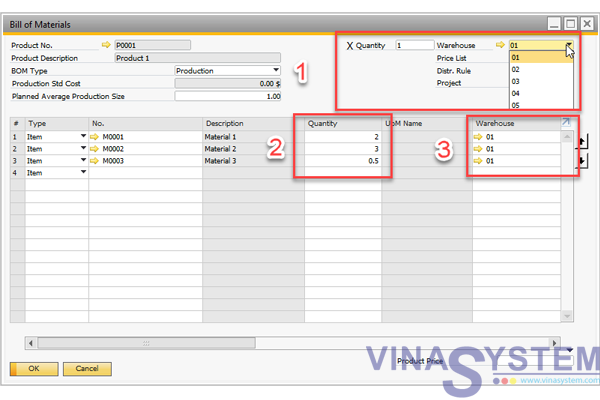
Pic 4
and
Product No.
BOM type
Warehouse
Price list
Distr. Rule
Project
Item No.
Quantity
Warehouse
Issue Method:
- Manual
- Backflush
2/ Create Production Order
After create Bill of Materials, we will create Production Order: Main Menu -> Production Order
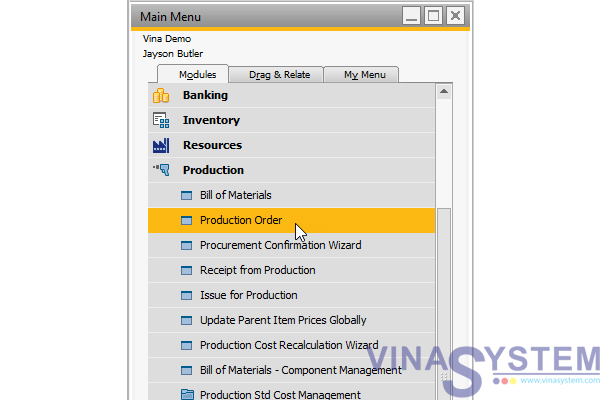
Pic 5
At Production Order Screen, click Product No., press Tab, choose Items No. (This is Item for Product)
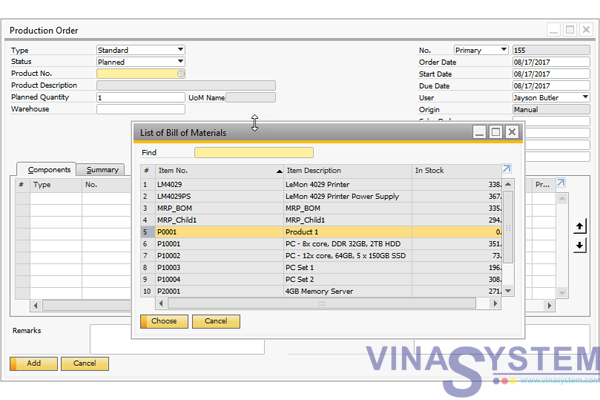
Pic 6
Fill Planned Quantity
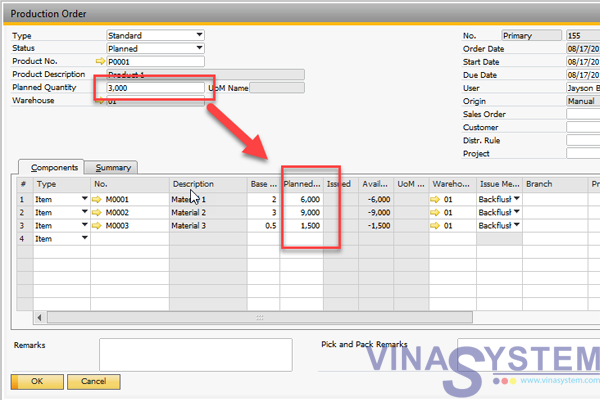
Pic 7
Change Status Planned to Released and click Update
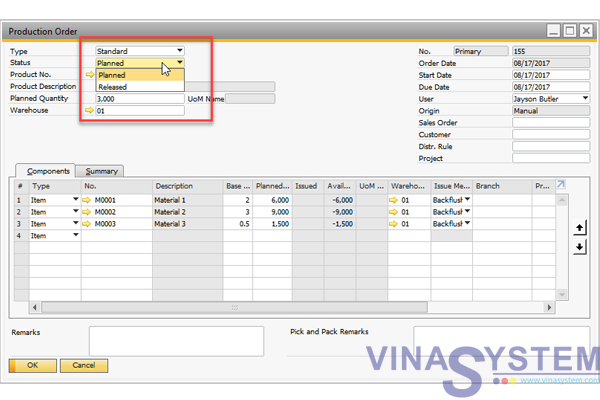
Pic 8
After finish Production, right-click, choose Report Completion to receive the finished product.
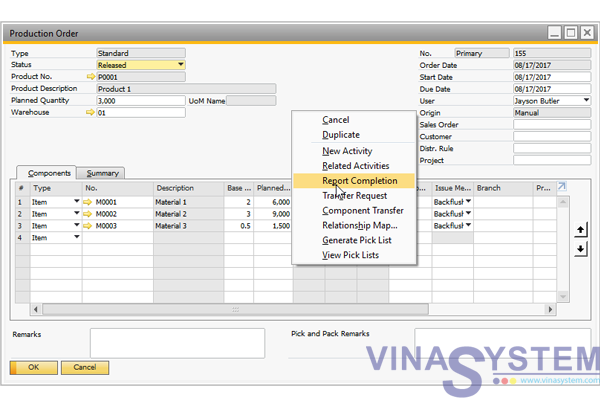
Pic 9
Click Add
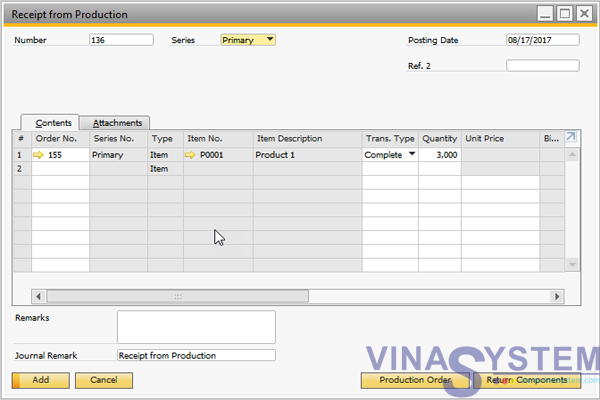
Hình 10
If use Manual, we have to:
- Right-Click and choose Issue Components
- Right-Click and choose Report Completion
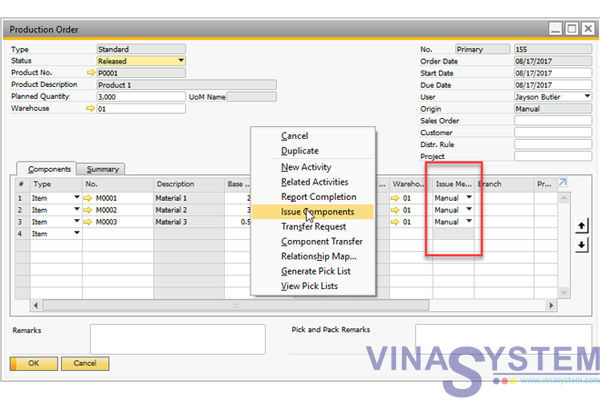
Hình 11
* In case of production order is wrong, Users create a new production order with Type Disassembly to proceed with the separation of the finished product and fill in the required information
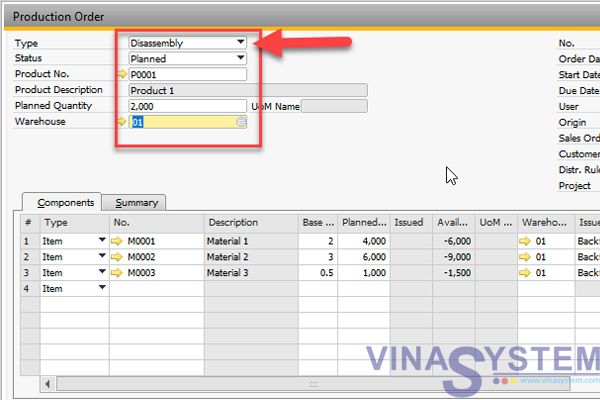
Pic 12
Update Status to Released, Right-Click and choose Report Completion to export
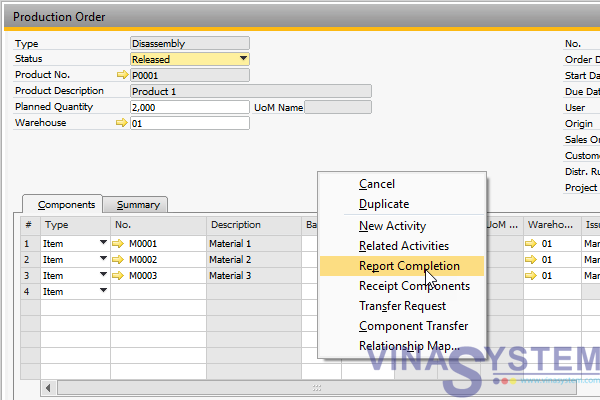
Pic 13
Click Add
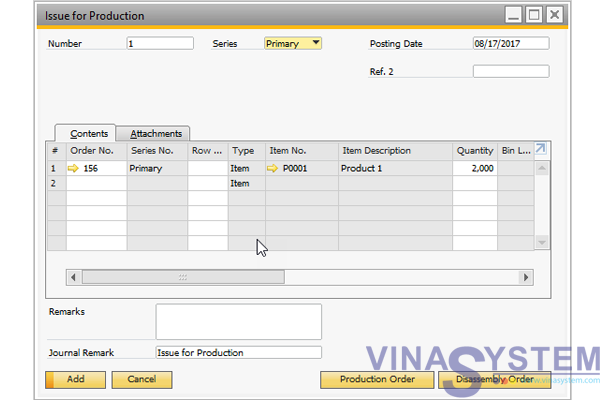
Pic 14
Right-Click and choose Receipt Components
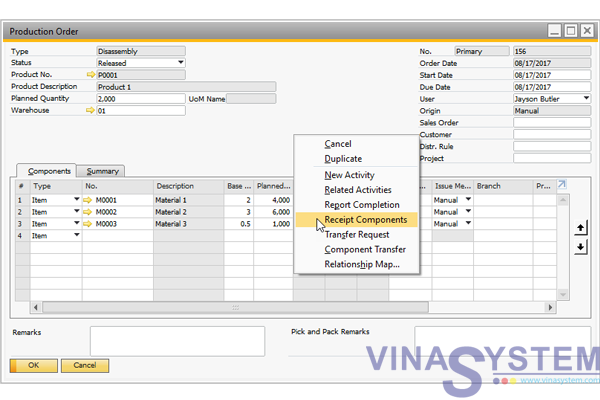
Pic 15
click Add to receive materials
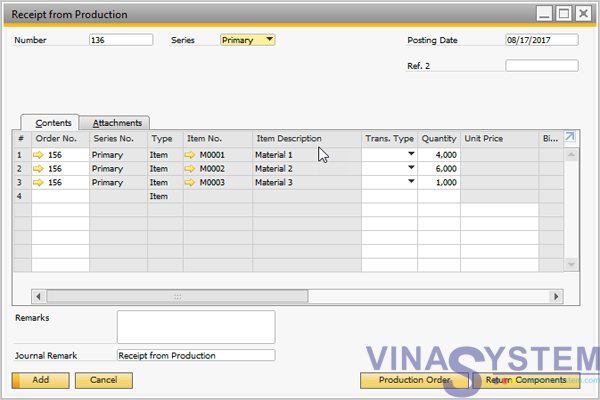
Pic 16
This is a reference to the SAP standard process, depending on the business process that the solution deployment organization can customize to suit the operating procedure.
Copyright VinaSystem 17/08/2017
See more:
The History of SAP Business One
SAP Business One Trial in Vietnam
SAP Business One Documentation
Document of SAP Business One (User Guide)