



SAP Business One - User Guide for Goods Receipt PO
A guide to using SAP Business One - Purchase Process
Reference documents:
- User Guide for Business Partner Master Data
- User Guide for Item Master Data
- User Guide for Purchase Process
We have two option create Goods Receipt PO
Option 1: From Purchase Order screen, User use command Copy To and click Goods Receipt PO
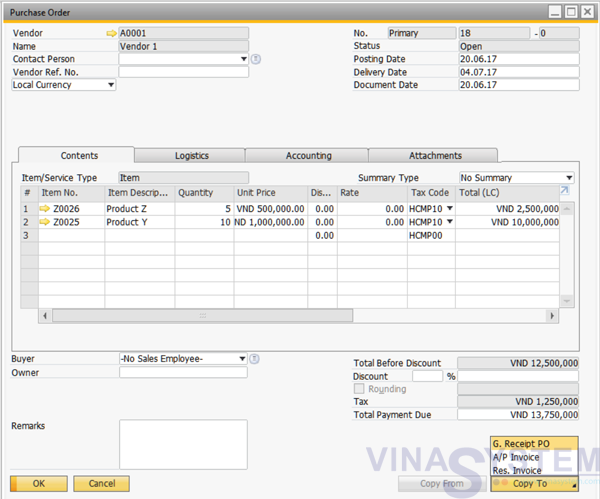
Pic 1
Option 2: Create Goods Receipt PO by click Main Menu - > Purchasing -A/P -> Goods Receipt PO, Choose Vendor and user use command Copy From and click Purchase Order
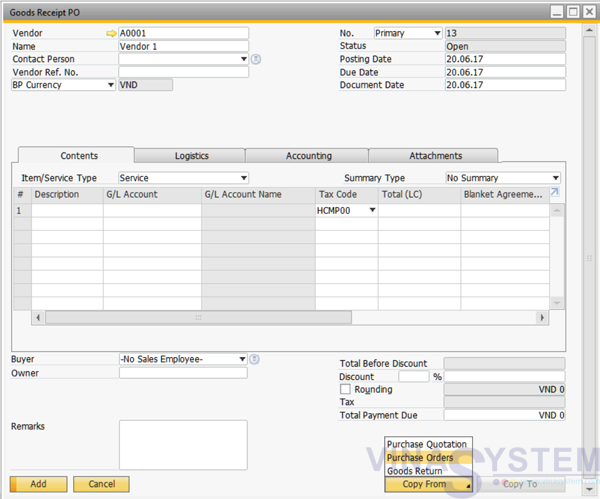
Pic 2
All inventory information has been recorded in the system, click Add
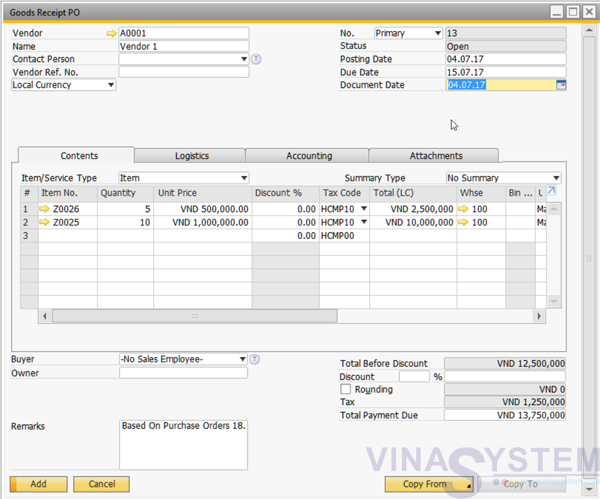
Pic 3
Copyright VinaSystem 26/10/2017
See More: