



SAP Business One - User Guide for Incoming Payment
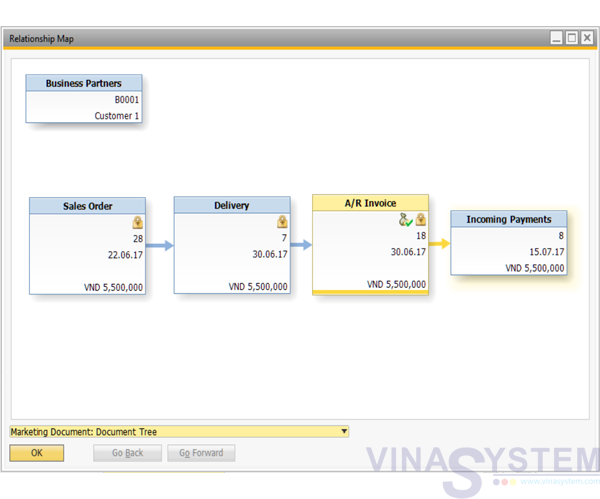
A guide to using SAP Business One - The standard SAP sales module includes: Sales Order - Delivery - A/R Invoice - Incoming Payment
Reference documents:
- User Guide for Business Partner Master Data
- User Guide for Item Master Data
- User Guide for A/R Invoice
Incoming Payment
After create all purchase process included Sales Order -> Delivery -> A/R Invoice, User click Main Menu -> Banking -> Incoming Payments
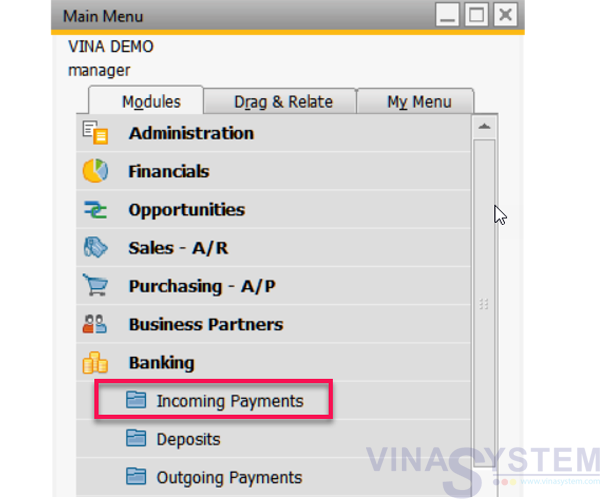
Pic 1
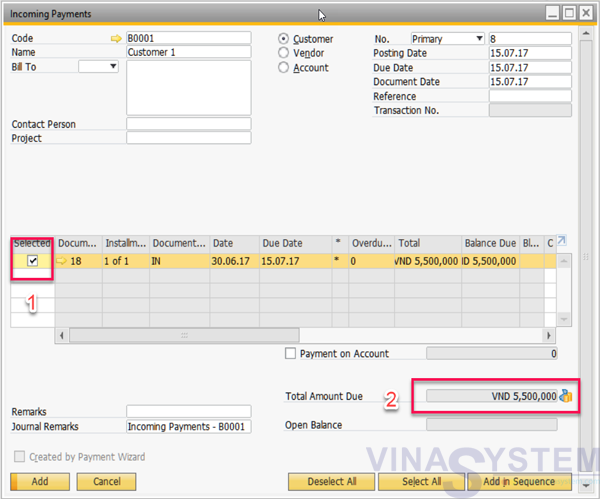
Choose customer, bill to pay and total payment
Pic 2
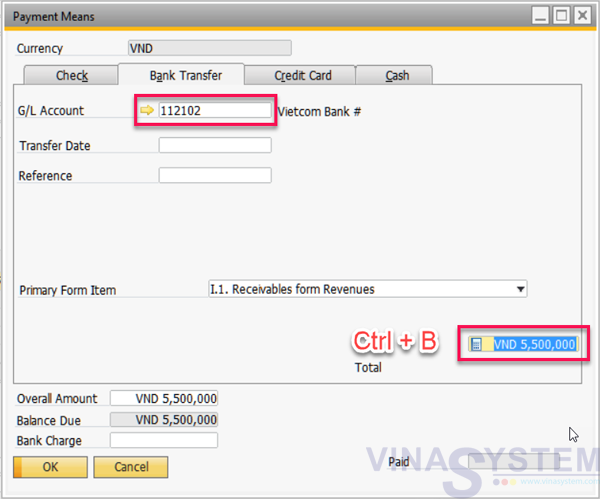
Choose payment by cash or transfer
Pic 3
Click Add on Incoming Payment screen, the system records the collection of money, customer debt is reduced
View Relationship Map
Pic 4