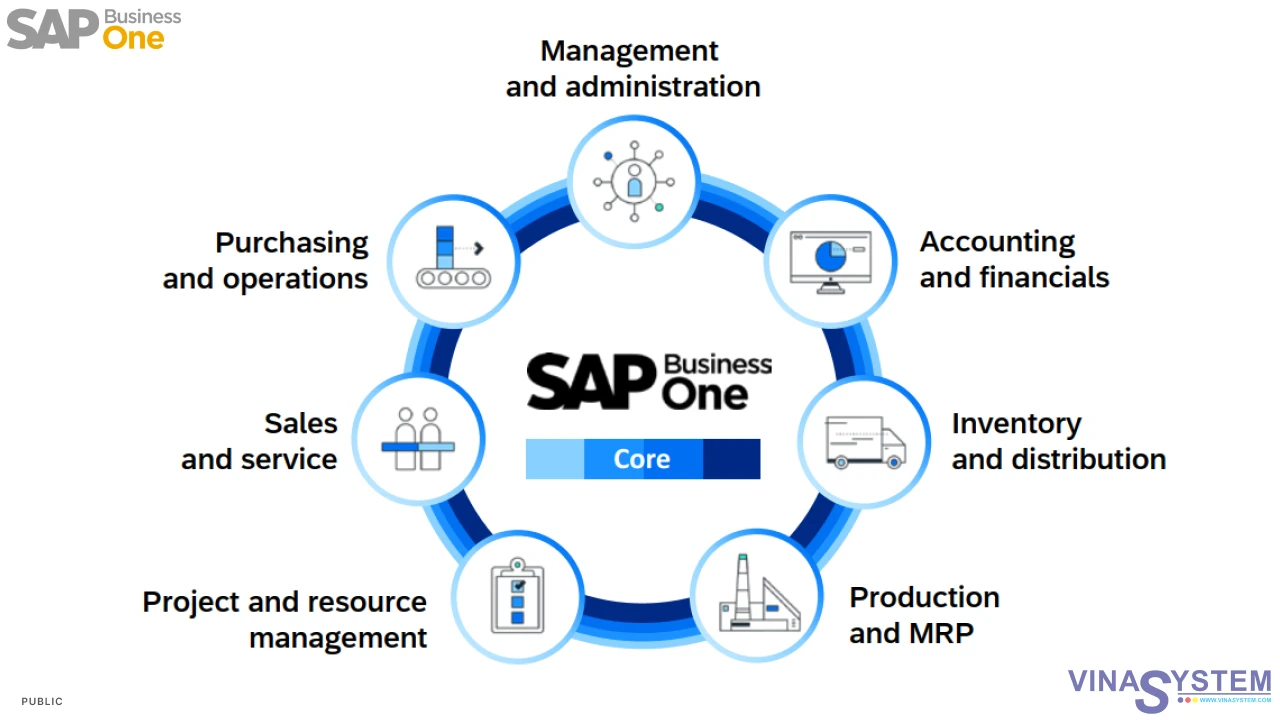




SAP Business One - User Guide for Item Master Data
In SAP Business One, Item Master Data is a data very important.
Reference document:
- Item Master Data in SAP Business One | Item Master Data Overview
- Defining Item Group in SAP Business One | Defining Item Group Overview
- Units of Measure in SAP Business One | Units of Measure Overview
- Valuation Methods in SAP Business One | Valuation Methods Overview
- Serial Numbers and Batches in SAP Business One | Serial Numbers and Batches Overview
Click Main Menu -> Inventory -> Item Master Data for create Item Master Data
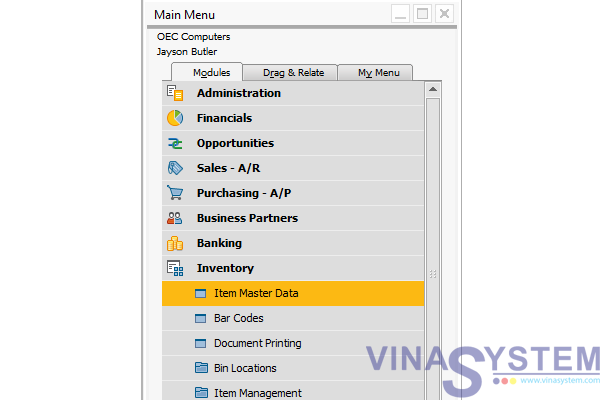
Pic 1
Windows of Item Master Data appear on the screen, Click Add
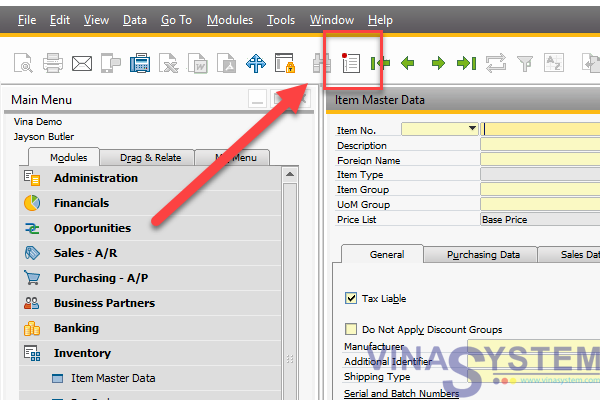
Pic 2
Fill information
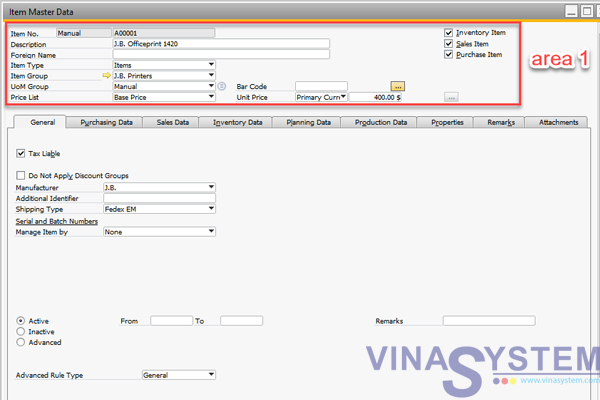
Pic 3
- Item No. ng.
- Description
- Foreign Name
- Item Type
- Items
- Labor
- Travel
- Item Group
- Price List
- Bar Code
- Unit Price
- Inventory Item
- Sales Item
- Purchase Item
Fill information
1/ Tab Garenal:
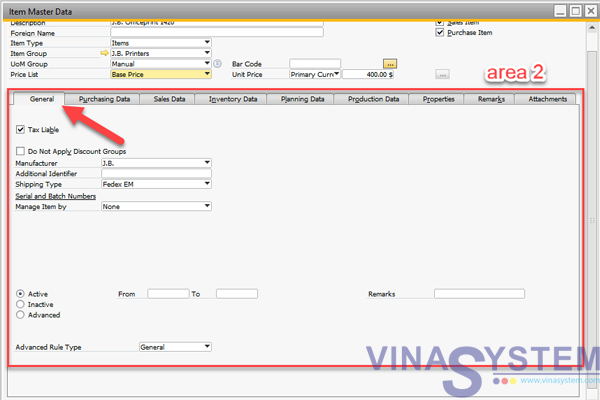
Pic 4
- Manufacturer
- Additional Identifier
- Shipping Type
- Manage Item By
- None
- Serial Number
- Batches
- Management Method
- On Every Transaction
- On Release Only
- Active
- Inactive
- Advance
2/ Purchasing Data:
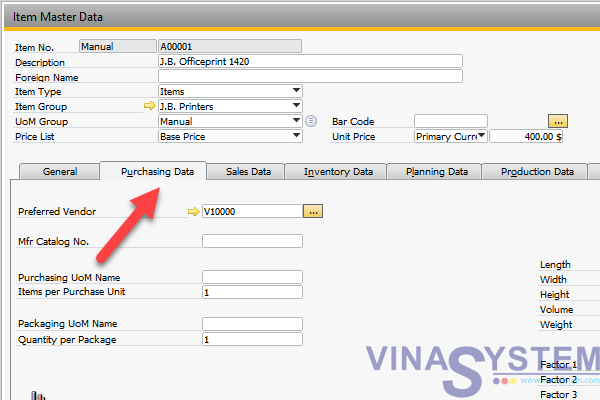
Pic 5
- Preferred Vendor
- Mfr Catalog No.
- Purchasing UoM Name
- Items per Purchase Unit
- Parking UoM Name
- Quantity per Packing UoM
- Custom Group
- Tax Type
- Length
- Width
- Height
- Volume
- Weight
- Factor 1, 2, 3, 4
3/ Sales Data: same Purchasing Data
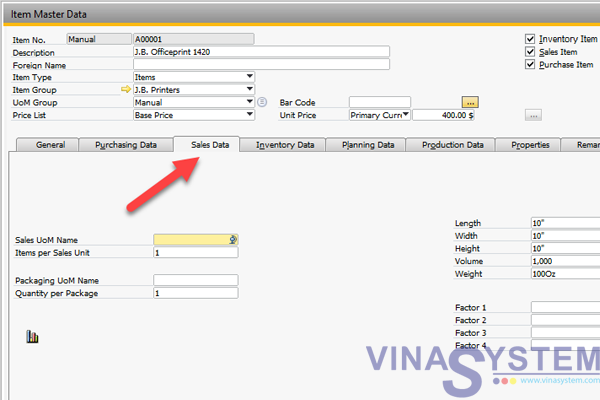
Pic 6
4/ Inventory Data
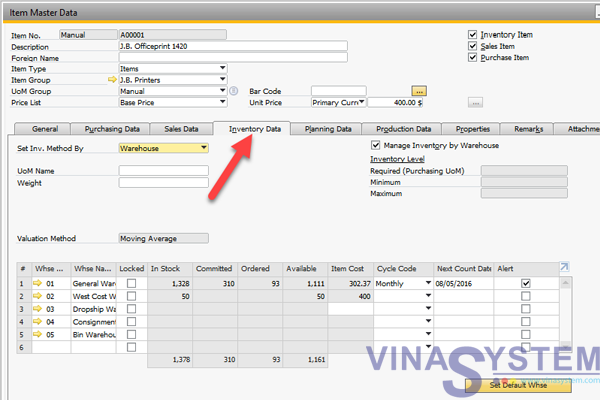
Pic 7
- Set Inv. Method By
- Warehouse
- Item Group
- Item Level
- UoM Name
- Valuation Method
- Moving Average
- Standard
- FIFO (First in first out)
- Manage Inventory By Warehouse
- Required (Purchasing UoM)
- Minium
- Maximum
- Whse Code
- Whse Name
- Locked
- Instock
- Committed
- Ordered
- Item Cost
- Cycle Code
- Set Default Whse
5/ Planning Data
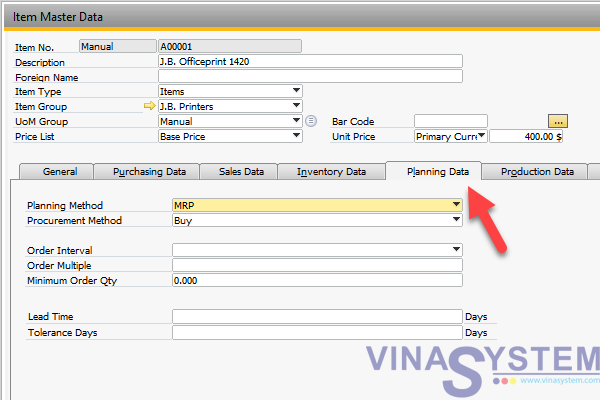
Pic 8
- Planning Method
- None
- MRP
- Procurement Method
- Buy
- Make
- Order Interval
- Order Multiple
- Minimum Order Quantity
- Lead time
- Tolerance Days
6/ Production Data
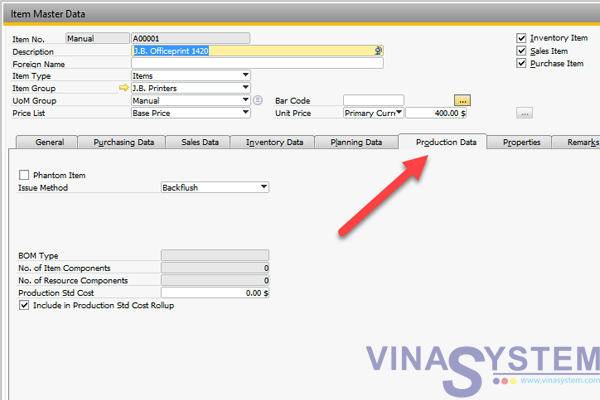
Pic 9
- Phantom Item
- Issue Method
- Backflush
- Manual
- BOM Type
- No. of Item Components
- No. of Resource Components
- Production Std Cost
- Include in Production Cost Rollup
7/ Properties
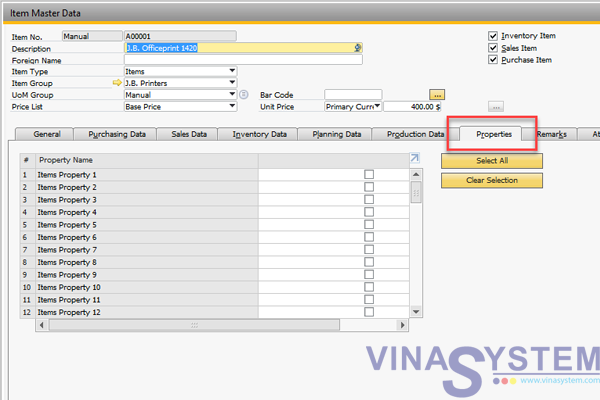
Pic 10
8/Remarks
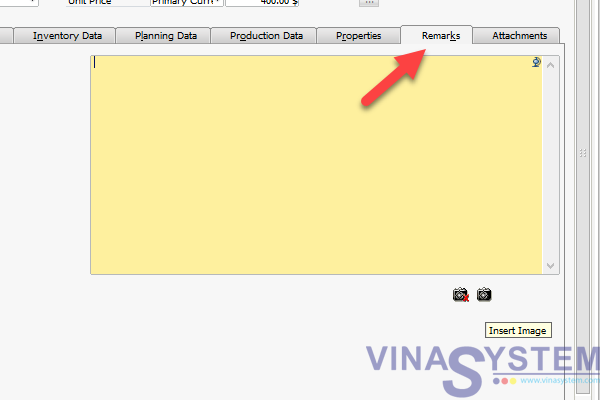
Pic 11
9/ Attachments
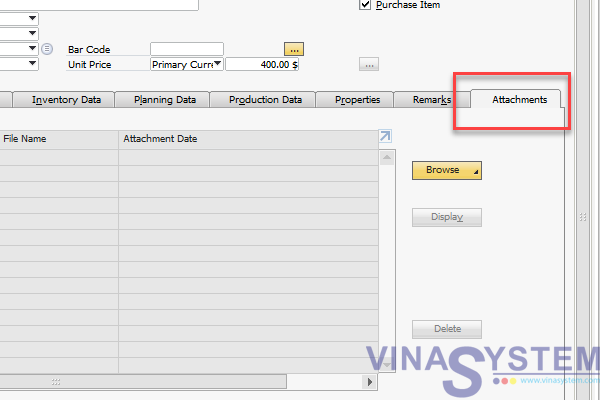
Pic 12
After user fill information, click Add
Copyright VinaSystem 12/07/2017