



SAP Business One - User Guide for Purchase Order
A guide to using SAP Business One - Purchase Process
Reference documents:
- User Guide for Business Partner Master Data
- User Guide for Item Master Data
- User Guide for Purchase Process
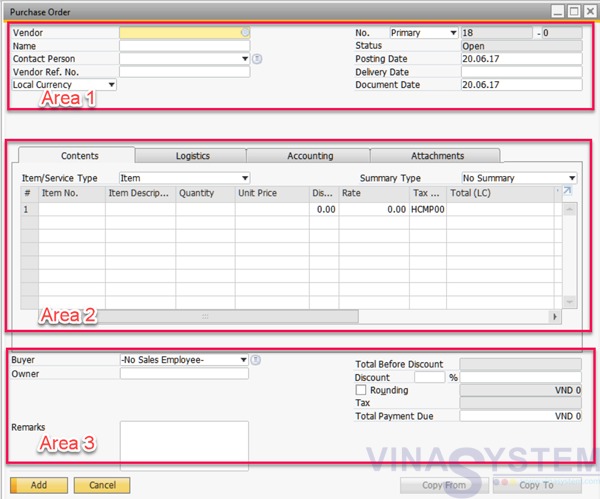
User click Main Menu -> Purchasing – A/P -> Purchase Order for create new purchase order.
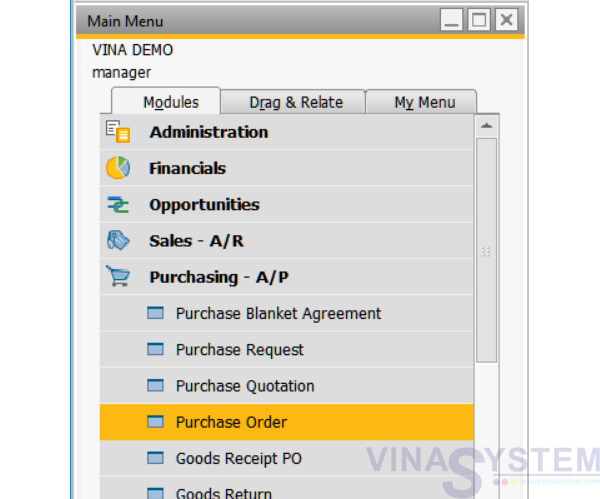
Pic 1
Appear windows of Purchase Order
- Area 1: vendor information
- Area 2: commodity information
- Area 3: total order value
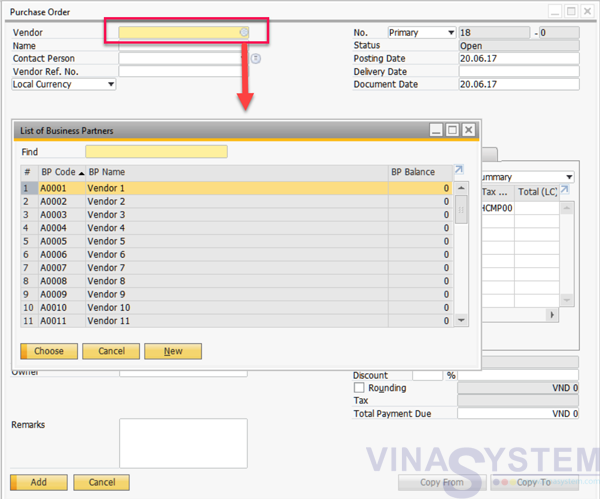
Pic 2
Choose Vendor
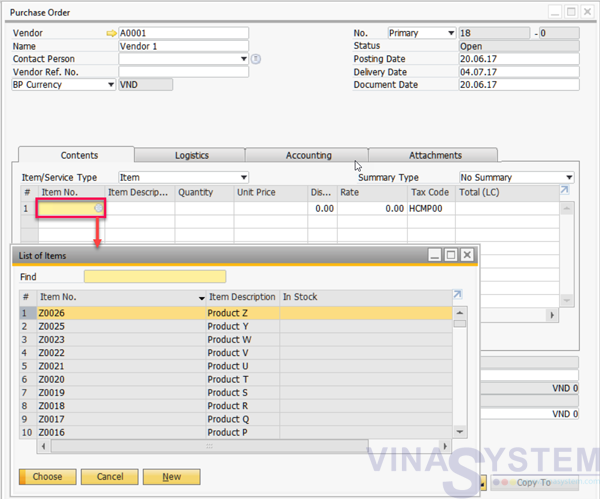
Pic 3
User select Item
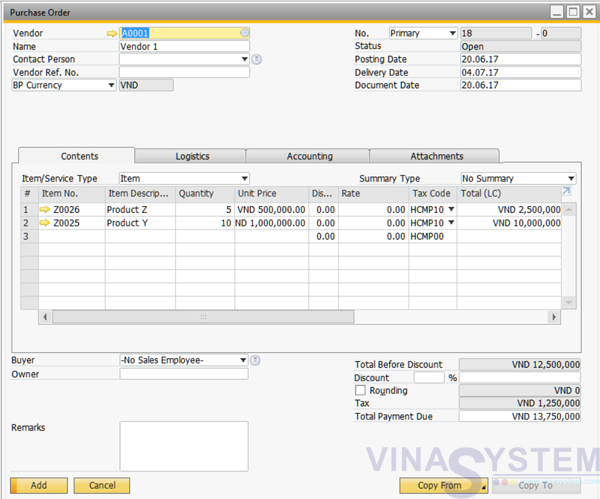
Pic 4
Area 1:
- Posting Date
- Delivery Date
- Document Date
Area 2:
- Quantity
- Unit Price
- Discount
- Tax Code
- Total
- Whse
Click Add
Pic 5
Note: Purchase Order created does not affect the actual stock and does not generate journal entries