



SAP Business One - User Guide for Sales Process
A guide to using SAP Business One - The standard SAP sales module includes: Sales Order - Delivery - A/R Invoice - Incoming Payment
Reference document:
- Sales Process in SAP Business One | Sales Process Oveview
- Sales Order to Cash in SAP Business One | Sales Order to Cash
- Customers and Customer Groups in SAP Business One | Customers Overview
- Customer Relationship Management in SAP Business One | CRM Overview
- Automating the Sales Process in SAP Business One | Automating the Sales Process Overview
- Returns and Exchanges in SAP Business One | Returns and Exchanges Overview
- A/R Credit Memos in SAP Business One | A/R Credit Memos Overview
I. Sales Order
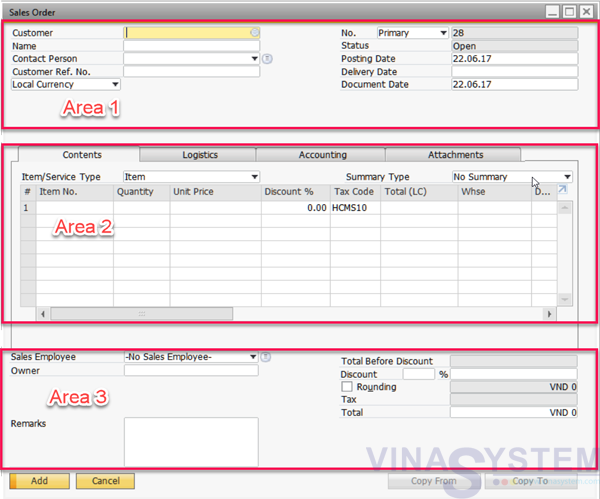
User click Main Menu -> Modules -> Sales - A/R -> Sales Order for create new sales order.
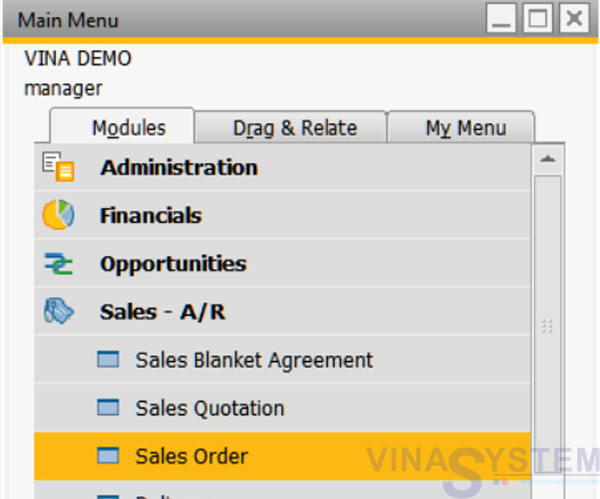
Pic 1
Appear windows of Sales Order
- Area 1: customer information
- Area 2: commodity information
- Area 3: total order value
Pic 2
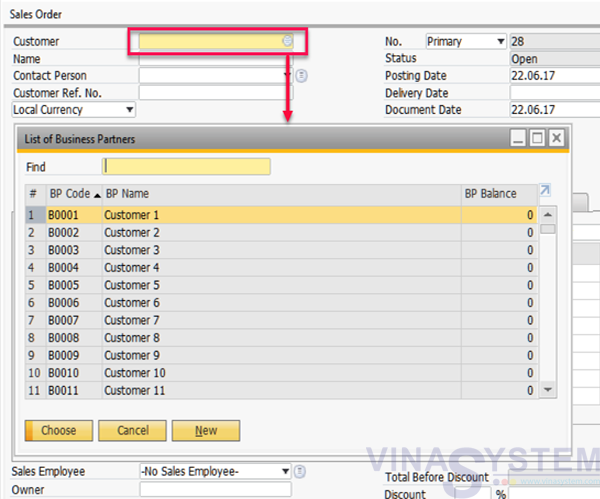
Choose business partner
Pic 3
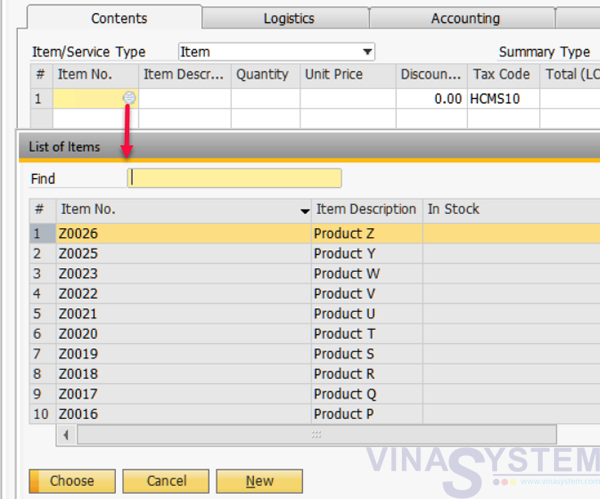
Choose Item
Pic 4
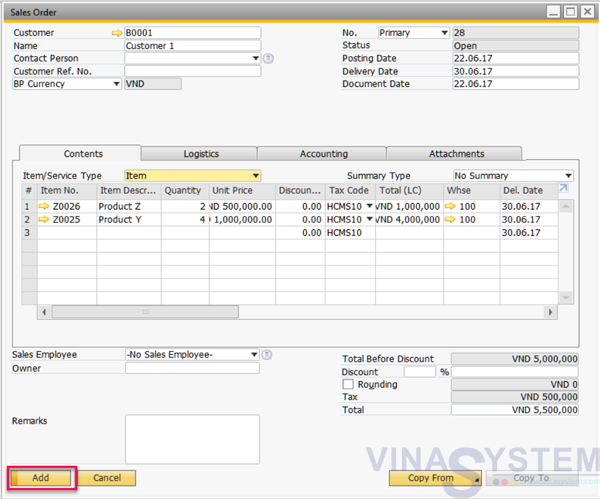
After check all information, user click Add
Pic 5
- Unit Price
- Tax code
- Whse
- Quantity
- Discount
- Total LC/Doc/SC (Local Currency/BP/System Currency)
...
Note: Sales orders created do not generate journal entries and do not affect the actual inventory.
II. Delivery
User have two option create delivery but we use command Copy From.
Click Main Menu -> Sales - A/R -> Delivery
Fill customer information, click Copy From and choose Sales Order
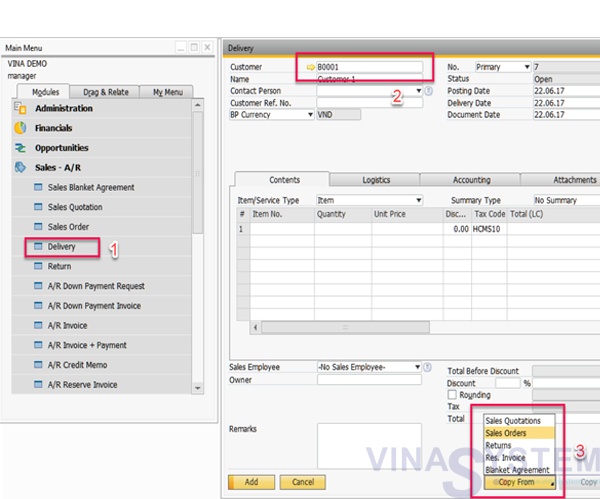
Pic 6
List of Sales Order show all sales order of this customer
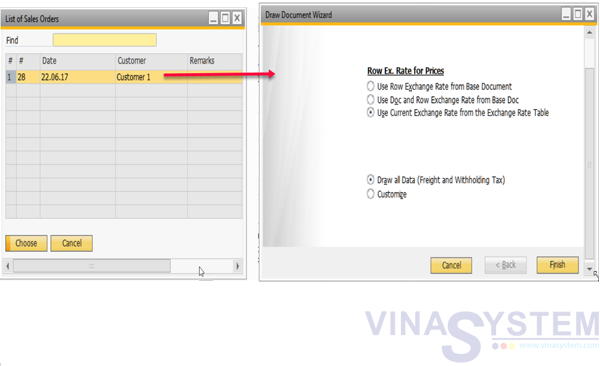
Pic 7
Click Add,
Note: Affect inventory and journal entries.
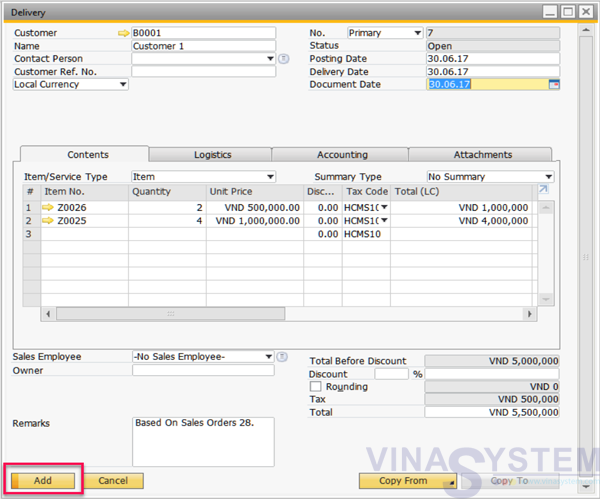
Pic 8
III. A/R Invoice
Same Delivery
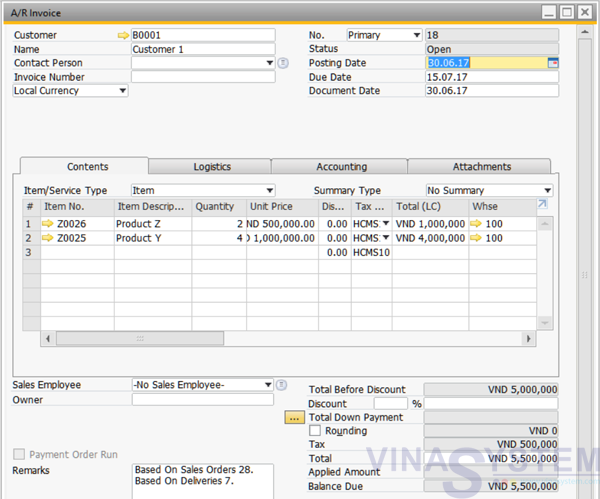
Hình 9
IV. Incoming Payment
After create all purchase process included Sales Order -> Delivery -> A/R Invoice, User click Main Menu -> Banking -> Incoming Payments
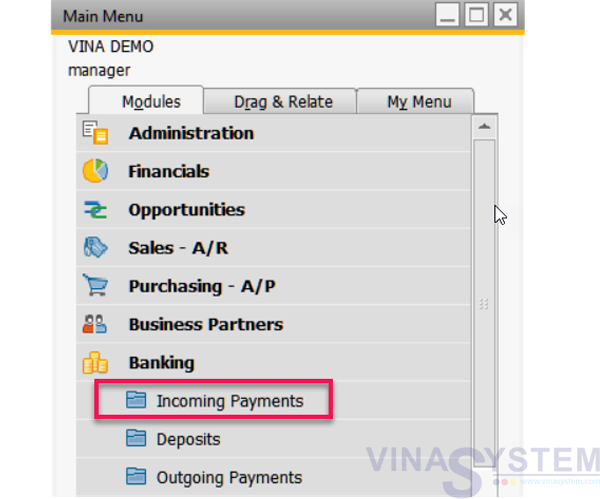
Pic 10
Choose customer, bill to pay and total payment
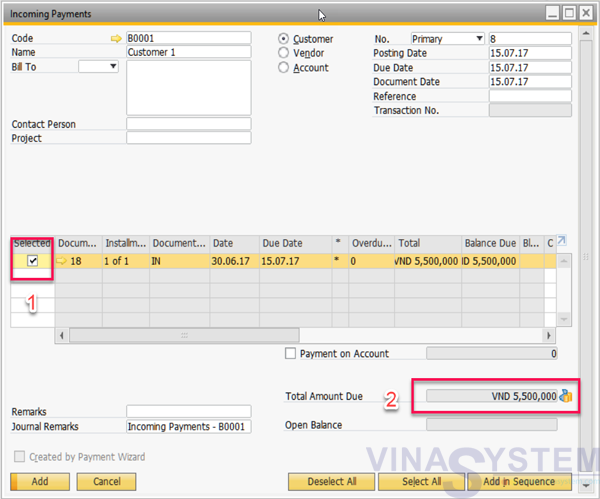
Pic 11
Choose payment by cash or transfer
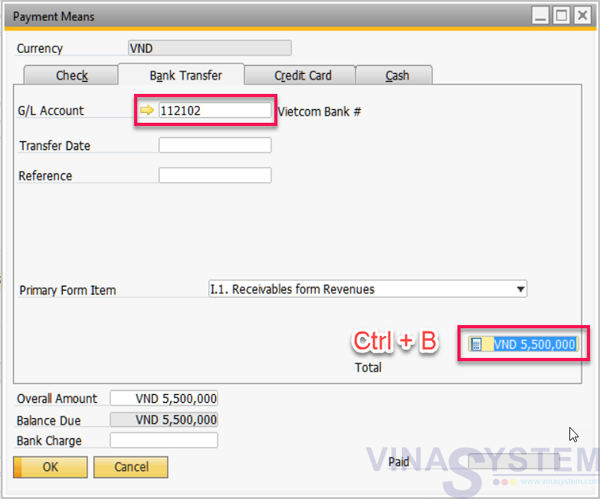
Pic 12
Click Add on Incoming Payment screen, the system records the collection of money, customer debt is reduced
View Relationship Map
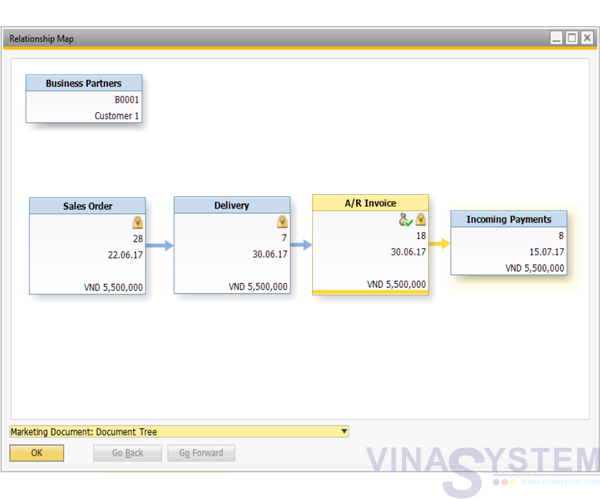
Pic 13
This is a reference to the standard sales process in SAP Business One. In addition, SAP B1 also provides functions such as quotation, return of goods, invoice cancellation, ...
Copyright VinaSystem 20/06/2017